Google Business Profile Suspension: Causes, Fixes & Reinstatement
When a Google Business Profile is suspended, your business can instantly disappear from Google search and Google Maps results without warning. This abrupt removal can immediately cut off phone calls, direction requests, and more leads from potential customers who were ready to buy. A Google Business Profile suspension typically results from violations of local business guidelines or suspicious spam activity. The good news is that a suspended Google Business Profile is often recoverable if you systematically identify and fix the underlying issue before you submit an appeal.
Key Takeaways
- Soft Suspension: Your business profile remains visible to the public, but you lose access to management and administrative controls.
- Hard Suspension: Your entire business listing is completely scrubbed from Search and Maps, usually due to severe policy violations.
- Primary Triggers: Most sudden profile actions stem from keyword stuffing in the business name, using an unapproved virtual office, weak physical storefront verification, duplicate listings, or publishing inaccurate information.
- The Reinstatement Path: The fastest way to get your GBP reinstated is through Google Business Profile optimization, thoroughly correcting every compliance issue first, then submitting a single, well-documented appeal using Google’s official appeals tool.
- Expert Assistance: Timmermann Group can comprehensively audit your suspended profile, gather required supporting evidence, and manage the entire appeal process for both a single location and multi-location operations.
What Happens When Your Google Business Profile Is Suspended?
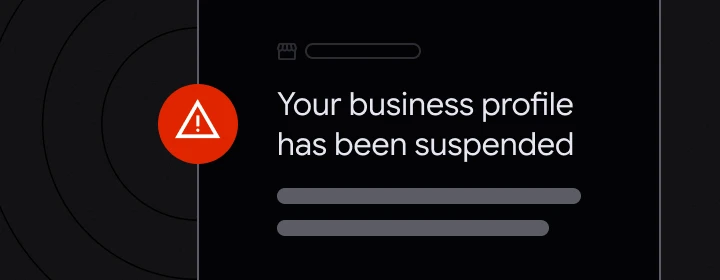
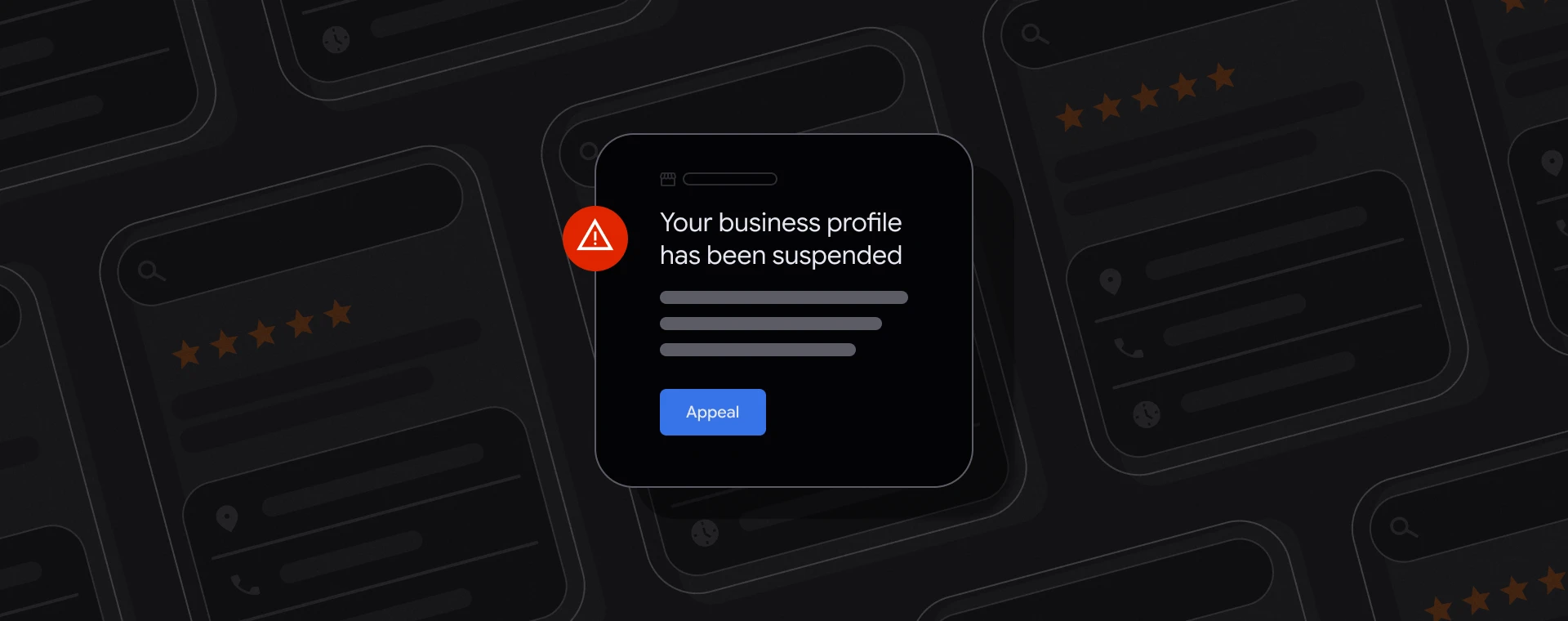
When a business profile suspension occurs, your local search rankings can plummet to zero overnight, calls originating from Google Maps dry up, and your backend performance reporting stops updating. Most owners discover the issue when they log in and encounter a stark red warning in their dashboard, or find an automated email notification sent directly to the owner’s Google account or associated Google account.
Google Business Profiles can be suspended for various reasons, including policy violations , suspicious activity, or spam-like behavior, often without clear explanations from Google. In 2026, algorithmic filters heavily scrutinize legal, medical, HVAC, locksmith, garage door, and similar high spam industry categories, occasionally auto-flagging a perfectly legitimate business.
At Timmermann Group, we treat a business profile suspension as both a compliance crisis and a visibility emergency. While your reinstatement request is being processed by Google, our team deploys multi-channel optimization strategies —including organic SEO, targeted PPC, and website conversion rate optimization (CRO)—to maintain your lead flow and protect your revenue.
Types of Google Business Profile Suspension: Soft vs. Hard
Not all suspensions are created equal. There are two main types of Google Business Profile suspensions: soft suspensions and hard suspensions. Knowing the distinction helps set realistic expectations for the appeals tool, tracking your appeal status, and preparing for an additional review.
| Suspension Type | Public Visibility | Management Access | Primary Trigger Severity |
|---|---|---|---|
| Soft Suspension | Profile remains visible on Google Search & Maps | Business owner loses ability to manage or edit the profile | Minor issues or minor details that Google finds suspicious |
| Hard Suspension | Profile is completely removed from Search and Maps | Total loss of management and public visibility | Severe guideline or policy violations |
Soft Suspension
A soft suspension occurs when a business’s profile is still visible on Google but the owner cannot manage it. In this state, the listing may display as unverified or present an owner conflict. This vulnerability allows unverified user edits to overwrite your official business information and may prompt a mandatory review of primary ownership. For instance, a retail chain that accidentally creates multiple listings for the same business may receive a soft suspension while Google waits for the conflict to be resolved.
Hard Suspension
A hard suspension means the profile is completely removed from Google search and Maps. Hard suspensions are often the result of severe guideline violations, while soft suspensions may occur due to minor issues that Google finds suspicious. A classic example is an off-site home services provider or locksmith caught using an unstaffed coworking address, which quickly triggers a hard removal.
Common Reasons Your Business Profile Is Suspended
Google rarely discloses the precise trigger behind an enforcement action. Most notifications rely on broad catch-all phrases like “deceptive content” , generic “policy violations” , or a failure to follow gbp guidelines. To fix it, you have to reverse-engineer the most common compliance pitfalls:
- Business Name and Keyword Stuffing: Appending local city names, promotional slogans, or extra service descriptions to your official name (e.g., “Roberts Plumbing – Best 24/7 Emergency Plumber St. Louis”) directly violates google’s guidelines. Keyword stuffing in the business name is one of the fastest ways to get a business profile suspended.
- Address and Location Discrepancies: Common triggers for Google Business Profile suspensions include using a PO box or virtual address, making multiple changes to key information at once, and being in high-spam industries like law or home services. Always use a real address for your Google Business Profile, avoiding PO boxes, coworking spaces, and virtual offices, as these can lead to suspensions.
- Service Area Business (SAB) Violations: A service area business must hide its physical address if it operates from a home location and provides services to customers at their locations. Your designated service area must accurately reflect the realistic boundaries of where you travel to serve clients, rather than claiming an entire state or country.
- Signage and Legitimacy Issues: For physical storefronts, Google expects permanent, high-quality outdoor signage, regular staff presence, and accurate business hours. Real-world photos must clearly demonstrate an exact address match between your online profile details and the physical facility.
- Multiple Profiles and Duplicates: Maintaining multiple profiles, multiple listings, or duplicate listings tied to a single physical location or phone number triggers automated spam filters. Never create separate standalone profiles for minor sub-services under the same business.
- Frequent or Bulk Edits: Make changes to your Google Business Profile gradually; avoid making multiple edits at once, as this can trigger a suspension. Modifying your primary categories, address, telephone number, and website URL simultaneously looks highly anomalous when Google catches patterns that resemble automated spam.
Additionally, suspensions can occur if a business profile is reported by users through the ‘Suggest an Edit’ feature on Google Maps, leading to automatic suspension if the report is deemed credible by Google.
How to Confirm Your Suspension and What to Check First
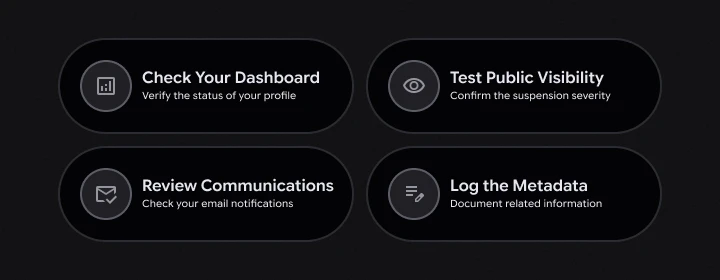
Before rushing to fix things, gather your diagnostic facts calmly:
- Check the Dashboard: Sign into the correct Google account and open the Business Profile Manager. Verify whether the notification banner explicitly reads “business profile is suspended” or “business profile suspended”.
- Test Public Visibility: Run a manual query for your exact business name in Google search and Maps. If your listing is entirely missing, you are dealing with a hard suspension; if it appears but remains locked out from editing, it is a soft suspension.
- Review Communications: Search your primary inbox and spam folders for the formal email notification from Google. Note any specific references to policy violations, deceptive content , or broader account anomalies.
- Log the Metadata: Carefully document the initial suspension date, your profile URL, associated case IDs, past appeal decision histories, and traffic drops. Determine if a secondary manager’s google account or the profile’s primary owner credentials have been compromised or restricted.
⚠️ Security Reminder
Regularly audit your access list to ensure that only trusted partners have access to your Google Business Profile, as a suspended account can affect your profile too.
Step-by-Step: How to Fix Violations Before You Appeal
Filing an appeal immediately without fixing the underlying errors is the most common mistake made by businesses. When appealing a Google Business Profile suspension, it is essential to identify the specific policy violation and correct the profile information accordingly.
Before you submit an appeal, double-check that your data aligns with reality:
- Your business name perfectly matches your outdoor physical signage, your official business registration, and your website branding.
- Your listed address is eligible and completely free of PO boxes, unstaffed virtual offices, or mail drop locations.
- Your primary categories, phone contacts, business details, and core business information are fully accurate.
- Your website does not display deceptive location claims, non-existent branches, or falsified local awards.
- Your core NAP (Name, Address, Phone) data is completely uniform across your GBP profile, main website, local directories, and social handles.
Strip away unauthorized keyword stuffing , remove exaggerated service area parameters, and delete spammy “near me” landing page link tactics. Avoid any spammy tactics such as keyword stuffing, fake addresses, or duplicate listings, as these can lead to suspension of your Google Business Profile. Maintaining compliance with Google Business Profile guidelines can prevent future suspensions by avoiding known issues such as keyword stuffing and inconsistent information.
Preparing Evidence: Documents and Photos That Help Your Case
Official documentation required for a Google Business Profile appeal includes business registration or licenses, utility bills , tax certificates, and photos of the business location. Gather clear, unedited copies of these official documents:
- Official business registration papers or articles of organization.
- A valid, locally issued business license.
- A signed commercial lease agreement or property deed.
- A recent corporate tax certificate or formal IRS correspondence letter.
- Utility bills (gas, electric, water, or internet) showing the exact same business name and physical address.
- High-resolution, geotagged photos of the building exterior, permanent street signage, interior offices, staff members, and branded company vehicles.
When you provide Google with supporting evidence, every document must perfectly match your suspended profile. Using clear filenames like front_signage_123-main-st.jpg and city_business_license.pdf helps human reviewers validate your business quickly.
Store these items in a shared Google Drive folder with public permissions enabled. If you operate a service area business , provide photos of your wrapped commercial vehicles alongside tools, equipment, or alternative proof that your business actively delivers services directly to customers within the specified region.
Using Google’s Appeals Tool to Reinstate Your Business Profile
To appeal a Google Business Profile suspension , you must first ensure that your profile complies with Google’s guidelines and then submit an appeal through the Google Business Profile appeals tool. Click the “Appeal” button embedded within your original email notification or navigate directly through your Business Profile Manager dashboard to select the specific GBP profile facing enforcement.
The system will guide you through a series of verification questions regarding your business type, address eligibility, and recent edits. While legacy documentation often refers to a standalone web-based reinstatement form , the modern process is entirely contained within the interactive, step-by-step appeals workflow.
⏱️ Strict 60-Minute Window When submitting an appeal, you have exactly 60 minutes to upload any evidence that supports your case, and all documents must match the business name and address on your profile. Do not initiate the evidence form step until your compliance files are fully prepared and organized.
In the provided narrative field, write 2 to 4 concise, professional paragraphs clarifying:
- What originally caused the policy violation or technical misunderstanding?
- The specific corrective actions you have taken to resolve the issue.
- How are your updated profile details now, strictly observing current GBP guidelines?
- A list of the specific official documents you attached to prove you run a legitimate operation.
Google typically takes 1 to 3 weeks to process appeals, but this can vary based on local queue backlogs. While straightforward verifications may resolve in 3 to 10 business days, remember that duplicating requests during the Google Business Profile appeal process can delay reinstatement and reset the evaluation timeline. Avoid submitting multiple tickets or trying to create an entirely new business listing while your initial request remains under review.
What to Do If Your Appeal Is Denied or Needs Additional Review
Not every business is eligible for local mapping features. E-commerce setups and online-only operations with no physical, in-person customer interactions do not qualify for a localized Google Business listing.
If your submission is rejected, carefully read the rejection notice and compare it against the original supporting evidence you compiled. If your appeal is denied, you may have the option to request an additional review by providing further evidence that was not included in your original appeal.
When initiating this escalation step, make sure to submit fresh, more evidence rather than re-uploading the exact same packet. Prioritize providing clearer outdoor signage angles, notarized address documentation, or updated localized business registries. Carefully track every unique case ID, communication date, and appeal decision entry so the Timmermann Group team can audit your history if professional escalation becomes necessary.
Preventing Future Google Business Profile Suspensions

Proactive protection is much easier than navigating the reinstatement process after a suspension hits. Implement internal governance rules so only trained, authorized staff members have access to modify your listing, and document any major profile edits before making them live.
Keep your core business details stable across all directories, your website, and platform listings. Review this data quarterly to check for inaccurate information introduced by automated data aggregators or user-suggested edits. Cultivate strong trust signals by gathering authentic customer reviews, earning local citations, securing local PR coverage, and maintaining a professional website that mirrors your exact services and branch locations.
Timmermann Group offers local search optimization and proactive GBP monitoring to intercept suspicious third-party edits, abrupt ranking shifts, or compliance risks well before another profile suspension can disrupt your business.
How Timmermann Group Helps Businesses Recover Their Profiles
Timmermann Group is a full-service digital marketing agency driven by a philosophy of “Conversions, not Diversions.” We handle getting your Google Business Profile reinstated as a core component of a broader growth strategy, rather than a temporary, isolated fix.
Our systematic recovery process includes:
- Initial Assessment: A strategy call to review compliance and identify risks.
- Profile Audit: A comprehensive deep-dive into your suspended profile.
- Gap Analysis: Evaluation of profile guidelines versus your current documentation.
- Narrative Prep: Drafting a clear, compliant appeal narrative.
- Document Review: Pre-submission verification of all supporting files.
- Post-Reinstatement Monitoring: Active monitoring to ensure your profile stays live.
Timmermann Group’s local search team deploys SEO, PPC, and data analytics to substitute for lost local visibility while your business profile is suspended. This multi-channel approach helps preserve inbound calls, form fills, and revenue while Google reviews your appeal.
We support small businesses managing a single location as well as large enterprise brands overseeing multiple profiles, aligning naming conventions, address structures, and user access across your entire footprint. If your listing is currently down, schedule a consultation to diagnose the root cause and map out a compliant path forward.
Final Thoughts
In these final thoughts, remember that a Google Business Profile suspension is an operational hurdle, but it is entirely salvageable when you resolve the underlying policy violations and provide strong documentation. Relying exclusively on one GBP profile for your local revenue is a major vulnerability. Mitigate this risk by combining local maps with organic SEO, targeted PPC, strong landing pages, and owned marketing audiences. Treat recovery as an ideal opportunity to clean up your digital footprint and build a resilient local search ecosystem.
Frequently Asked Questions (FAQ)
How long does it usually take to get a suspended Google Business Profile reinstated?
Most straightforward appeals take 3 to 10 business days, but Google typically takes 1 to 3 weeks to process appeals when local queue backlogs, high-risk business categories, or broader account restrictions are involved. Providing complete, matching evidence from the start is the best way to keep this timeline short.
Can I create a new Google Business Profile instead of fixing a suspended one?
No. Attempting to create a new profile for the same business while the original is experiencing a profile suspension mimics spam-like behavior and can worsen enforcement actions. Focus on correcting the violations on your original listing and utilizing the official appeals tool.
What if my entire Google account is restricted, not just one profile?
If your primary Google account is restricted, all associated business profiles may face a sweeping profile suspension, and new profiles will be blocked. You must resolve the root account restriction first, and then appeal each affected business profile individually.
Does a GBP suspension hurt my organic SEO rankings on my website?
A suspension directly impacts your placement on Google Maps, local map packs, and the standalone business listing itself. It does not penalize your website’s traditional organic search rankings. However, because a significant portion of local clicks start in Maps results, your total lead volume will likely experience an immediate drop.
How can I reduce the risk of getting suspended again after reinstatement?
Keep your core business details stable, avoid making bulk edits to your profile fields all at once, update your official documents promptly if you relocate, and regularly audit your user permissions. Partnering with Timmermann Group for ongoing local search management can help catch compliance issues before they trigger an automated suspension.