Google Business Profile: The Complete Guide (2026)
Having a strong online presence is crucial for businesses aiming to attract local customers. A Google Business Profile (GBP) serves as a powerful, free tool that helps businesses manage how they appear on Google Search and Maps. By providing essential information, engaging with customers, and showcasing your offerings, a well-optimized GBP can significantly boost your local visibility, build trust, and drive more conversions. This comprehensive guide will walk you through everything you need to know about Google Business Profiles, from setting one up and optimizing it to managing reviews and understanding its benefits for your local search strategy.
Key Takeaways
- Local Visibility Engine: Google Business Profile is a free tool that controls how your business appears in Google Search, Google Maps, and the Local Pack. Setting up a Google Business Profile (GBP) is a free way to appear on Google Maps and Search, which is essential for local visibility in 2026.
- An Absolute Requirement: A verified business profile on Google with accurate business hours, business information, photos, services, and Google Business Profile reviews is now a core local SEO requirement rather than a optional feature.
- Comprehensive Profile Control: This complete guide covers how to create, claim, verify, manage, optimize, and close a listing. It also addresses complex management scenarios such as adding users, resolving duplicates, handling suspensions, tracking multiple locations, and configuring Google Ads integrations.
- Driven by Strategy: From the perspective of Timmermann Group , a well-managed Google Business Profile supports conversions over diversions. It unifies local search, SEO, PPC, UX/CRO, data analytics, and brand reputation into a singular, highly measurable growth engine.
What Is a Google Business Profile?
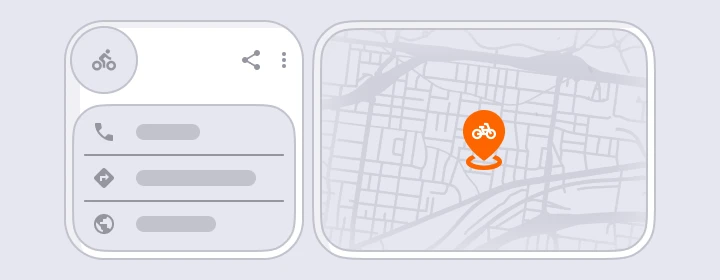
A Google Business Profile is a free, interactive directory listing provided by Google for local establishments. Formerly branded as Google My Business, this feature powers how your company name, business location, contact details, user reviews, photos, and unique operational details appear to the public across Google Search, Google Maps, and local search queries.
A fully developed profile displays your business name, physical address, primary phone number, website link, designated business category, opening hours, business description, product catalogs, specific services, real-time posts, community Q&As, and online customer reviews. Essentially, a Google Business Profile makes your business far easier to discover when prospective customers search for the precise solutions you offer.
While the Google Business Profile dashboard remains the central control station, modern business profiles are primarily managed directly inside Google Search and Google Maps via inline dashboard controls such as “Edit profile,” “Add photo,” and “Performance.” Think of your business profile as your structured digital business card, whereas your company website acts as your primary conversion hub. To maximize performance, both platforms must be perfectly aligned.
For example, a Denver home services provider can display a physical address, a phone number, a 4.7-star overall rating derived from over 220 customer reviews, an explicit service area, emergency repair categories, high-resolution photos, a direct appointment booking link, and active promotional offers before a customer ever clicks through to their main website.
Why Your Business Needs a Business Profile on Google
Google processes approximately 5.4 billion searches each day, cementing its position as the world’s most heavily utilized search engine. Market research from StatCounter routinely indicates that Google commands roughly 90% of the global search market share. For local businesses looking to capture regional traffic, having an optimized presence on this network is critical.
Key Benefits of an Active Profile:
- Enhanced Local Placement: Helps ensure your business shows in Google Maps, Google Search, and the high-converting Google Local 3-Pack.
- Direct Lead Generation: Drives immediate actions, resulting in more phone calls, website visits, direct bookings, quote requests, and physical direction requests.
- Established Digital Trust: Fosters consumer confidence through aggregate star ratings, positive written feedback, and authentic Google reviews.
- Cross-Platform Consistency: Ensures your primary commercial data remains uniform across the search engine ecosystem.
- An Ongoing Digital Storefront: Functions as a free, 24/7 digital storefront where your team can publish updates, active promotional offers, and high-quality photography.
A Google Business Profile helps rank in the “Local 3-Pack,” which displays the top three localized map listings prominently at the very top of Google search engine results pages. Local SEO research indicates that approximately 46% of all Google searches carry clear local intent, and nearly 28% of those localized queries culminate in an official purchase within 24 hours. Furthermore, nearly 90 percent of consumers who perform a local search on their smartphone call or visit a related storefront within a single day.
This data highlights the reality that a Google Business Profile is not a passive branding asset. It ensures that ready-to-buy consumers can easily locate your physical location, active phone number, opening hours, and service lists at the exact millisecond they are prepared to make a purchasing decision. From the strategic viewpoint of Timmermann Group, this asset functions at its peak when fully integrated with your broader SEO, Google Ads, social media marketing, conversion rate optimization (CRO), and web analytics framework.
How to Claim or Create Your Google Business Profile
Before launching a new business profile from scratch, perform a detailed search for your exact company name alongside your operating city. Google’s automated index frequently generates unclaimed placeholder profiles based on aggregated web data. If your establishment appears in the search results, simply select the option that asks “Own this business?” or “Claim this business” to begin the verification process.
Step-by-Step Creation Process:
- Log In to Your Google Infrastructure: Sign in using an existing Google Account. To create a Google Business Profile, you must utilize a Google Account, which can be easily mapped to your corporate email address for streamlined oversight. If necessary, establish a fresh account using your preferred email address.
- Access the Setup Portal: Navigate directly to google.com/business or open Google Maps and choose the “Manage now” option.
- Input Your Core Identity: Type in your exact business or company name. Ensure this text matches your physical building signage, official legal documentation, and website copy perfectly.
- Select Your Primary Business Category: Choose an accurate primary business category from the drop-down menu. For example, a plumbing firm should select “Plumber” as their primary designation, while assigning specialized tracks like “Drainage service” to secondary slots.
- Establish Your Geographic Boundaries: Add your physical business address if clients visit your brick-and-mortar storefront. If your company operates strictly as a service-area business—meaning you deliver solutions directly to a customer’s property—you should choose to hide your physical address and define a realistic, accurate service area map instead.
- Publish Critical Touchpoints: Enter your direct phone number, primary website URL, and standard operational hours.
When setting up your Google Business Profile, you must enter your business name, address, phone number, website, and hours of operation, ensuring that this information is accurate and consistent across all platforms. Maintaining rigid Name, Address, and Phone number (NAP) consistency prevents search engine confusion and ensures local customers never experience a poor user journey.
Verifying Your Business Profile: Methods and Best Practices
The verification process is a mandatory security step required by Google to prove that you are the legally authorized person permitted to manage the public listing. Verification of your Google Business Profile can be done through a phone call, text, or postcard, and is essential for establishing trust and visibility in search results; local rankings are not shaped by verification alone, just that by relevance, proximity, and prominence.

Available Verification Formats:
- Postcard Verification: Once the standard for physical storefronts, this method has become increasingly rare in favor of video verification. When used, Google dispatches a physical card containing a unique verification code, which typically arrives at your listed address within 5 to 14 business days.
- Phone or SMS Verification: Available for selected businesses with highly trusted, historically established phone records. This provides near-instant profile activation if offered.
- Email Verification: Granted in limited scenarios, typically contingent upon the underlying authority and historical domain trust of your linked website.
- Video Verification: Increasingly required for service-area businesses and sensitive commercial categories. This requires uploading a single, continuous video clip proving your company’s physical operations are real. The footage should showcase permanent building signage, professional equipment, active workspace areas, physical inventory, or clearly branded corporate vehicles.
- Google Search Console Verification: Offers instant profile activation if your managing Google Account is already recognized as the verified owner of the linked website inside Google Search Console.
Before requesting a physical postcard, ensure your business address, suite number, and mailbox labels are fully optimized to avoid delivery failure.
Inside the Google Business Profile Dashboard
The Google Business Profile dashboard allows businesses to manage their information and keep it up to date, including name, address, phone number, and hours, as well as edit other details across the profile, which automatically updates across all Google services when changed. It serves as a unified digital ecosystem where you can maintain control over how the public perceives your operation.
Core Management Areas:
- Business Information: Update core company data, categories, descriptions, and location parameters.
- Visual Media Assets: Upload your corporate logo, customized cover imagery, and real-time storefront photographs.
- Product & Service Catalogs: Showcase physical products and distinct operational service tracks.
- Posts & Updates: Share timely announcements, promotional discounts, and seasonal events.
- Customer Communication Channels: Oversee inbound telephone metrics, real-time instant messaging, and direct appointment bookings.
- Reputation & Engagement: Read and reply to customer reviews, and manage the public Q&A module.
- Performance Analysis: Monitor comprehensive user engagement insights and interaction data.
- Collaborative Settings: Manage authorized user permissions and seamlessly integrate Google Ads campaigns.
For enterprise operations overseeing multiple locations, this ecosystem allows you to smoothly toggle between individual business profiles and monitor each unique business location from a single, centralized account layout.
Optimizing Core Business Data for Maximum Local SEO

Local search engine optimization is an iterative process. Google constantly evaluates local search queries based on three foundational pillars: Relevance, Distance, and Prominence.
- Relevance: How closely your business details match what a user is actively searching for. Your primary categories, descriptions, service lists, product inventories, Q&As, and posts must accurately reflect user intent.
- Distance: How far your physical location or service area boundary is from the user or the geographic terms used in their search query.
- Prominence: The overall authority, credibility, and digital footprint of your business. This is determined by your Google reviews volume, photo frequency, local directory citations, backlink profile, and foundational organic website SEO.
To enhance a Google Business Profile, businesses should ensure profile strength says ‘Looks good!’ by filling out descriptions, services, and special attributes, and maintain a steady growth in reviews rather than a sudden spike.
1. Business Description & Structural Attributes
Your business description should clearly articulate what your company does, the core demographics you serve, where you operate, and what makes your business unique so consumers understand why they should choose your brand over local alternatives. Including relevant keywords in your business description and info section can improve your profile’s visibility in search results, but avoid keyword stuffing as it may lead to penalties from Google.
Furthermore, make full use of profile attributes to inform potential customers about your specific operational characteristics, such as wheelchair accessibility, minority ownership status, accepted payment methods, delivery options, curbside pickup availability, or outdoor amenities. These fine details help your target audience make rapid, well-informed purchasing decisions.
2. Photos, Logo, and Visual Content
Visual documentation is a massive driver of consumer action. Data indicates that businesses that add photos to their Google Business Profile receive 42% more requests for directions on Google Maps and a 35% higher click-through rate to their website compared to those that do not.
Aim to regularly upload a crisp company logo, an attractive cover photo, exterior and interior building shots, team member portraits, and clear imagery of real-time job sites or completed projects. For best results, utilize high-resolution JPG or PNG assets formatted around 720×720 pixels. Make it a habit to audit user-generated images uploaded by customers, and quickly flag any irrelevant or misleading photography for removal.
3. Products and Services Listings
The Products module functions exceptionally well for traditional retailers, while the Services section is vital for law firms, marketing agencies, home contractors, medical providers, and B2B operations. Ensure you publish explicit service titles, concise summaries, and realistic pricing frameworks where applicable. Ensure these sections mirror the structure of your website landing pages and Google Ads campaigns to send strong relevance signals to Google’s indexing algorithm.
4. Posts, Updates, and Offers
Google Business Profile includes a Posts feature that allows businesses to share updates, promotions, and events, which can enhance customer engagement and visibility. Google Business Profile allows businesses to post updates, offers, and events, which can engage customers and improve visibility; posts remain visible for seven days and can include call-to-action buttons.
Publish updates once or twice per week highlighting seasonal discounts, upcoming events, new product rollouts, or operational adjustments. Always embed compelling call-to-action (CTA) triggers such as “Call now,” “Book online,” “Learn more,” or “Get offer” to maximize click-through traffic.
5. Calls, Messages, and Customer Communication
Potential customers can contact, book appointments, request quotes, or get directions directly from Google search results. Inbound calls and profile direct messages should have dedicated internal owners, strict response-time protocols, and pre-saved templates for handling frequently asked questions.
Analyzing missed-call trends within your dashboard can highlight exactly when you need to expand your customer service coverage. For many small business owners, this interaction data reveals operational adjustments that can capture more customers without requiring you to spend money on extra advertising or paid traffic campaigns.
Reviews and Reputation Management
Profiles display social proof through star ratings, customer reviews, and positive reviews, enhancing customer trust. Google Business Profile reviews are public star ratings and written feedback left by customers on Google Search and Google Maps. Research shows that 84% of people trust online reviews as much as personal recommendations, making them a significant factor in influencing potential customers’ decisions.
Responding to reviews, both positive and negative, is crucial for maintaining a good online reputation, as it shows customers that you value their feedback and are willing to engage with them, while strong review activity also creates visible positive feedback that influences future customers.
Best Practices for Handling Feedback:
- Engage All Customers: Openly replying to both positive and negative reviews helps avoid hurting brand perception over time.
- Personalize Your Responses: Personalizing replies and expressing genuine gratitude can improve customer relationships. When responding to reviews, it is important to thank the customer by name and address specific points raised in their feedback to avoid generic responses.
- Manage Conflict Calmly: When dealing with negative feedback, acknowledging feedback and apologizing for a poor experience when appropriate are important in response management. Avoid public arguments. Move sensitive operational disputes to private channels by providing a direct phone number or email address, and post a concise public follow-up once the matter has been constructively resolved.
- Optimize Operations: Review common themes in customer feedback to improve operations or staff training based on negative reviews.
- Be Prompt: Aim to reply within 24–48 hours to reviews to show potential customers that you are engaged and value your audience.
Businesses that actively manage their reviews can improve their visibility in local search results, as the quantity and quality of reviews are key factors in local SEO rankings. Systematically solicit user feedback using your profile’s unique, short review link across your email signatures, digital receipts, and follow-up sequences. Always ensure review acquisition remains completely voluntary; offering bribes or financial incentives for positive remarks strictly violates Google’s core terms of service.
Insights and Performance Metrics
The Insights feature in Google Business Profile provides analytics on how customers find and interact with a business, helping owners understand their audience better.
Key tracking data includes:
- Branded vs. Discovery Traffic: Branded metrics identify users searching for your exact corporate name, whereas discovery searches show whether new customers are finding your profile via generic category terms.
- Search Query Reporting: The exact phrases and keywords users type into the search engine before arriving at your business profile.
- Profile Views & Actions: Comprehensive counts of total listing views alongside direct website clicks, phone calls, and direction requests.
Consistently cross-reference these operational data trends against your active marketing campaigns, seasonal shifts, and business updates to gauge real-world ROI.
Advanced Management: Roles, Duplicates, and Suspensions
User Permissions & Collaboration
Profile roles are strictly segmented into Primary Owner, Owner, and Manager. A business should always retain absolute primary ownership within a secure, corporate-controlled Google Account rather than a single employee’s personal Gmail profile. Use the “Add users” feature to securely invite digital marketing agencies, internal staff, or external partners via email, and promptly revoke access tokens whenever personnel transitions occur.
Connecting to Google Ads
Linking a Google Ads account to your Google Business Profile enables location assets and advanced local ad placements across Google Maps. Once linked, you can execute targeted local PPC strategies, such as concentrating your ad spend around specific ZIP codes that generate high volumes of direction requests.
Resolving Listing Conflicts
- Duplicate Profiles: Duplicate listings frequently occur due to automated map pins or historic rebranding efforts. Duplicates fracture your review volume, confuse buyers, and degrade your local SEO authority. Claim the rogue variants, select your primary, most reviewed profile as the survivor, and submit a formal request to Google to merge the redundant listings.
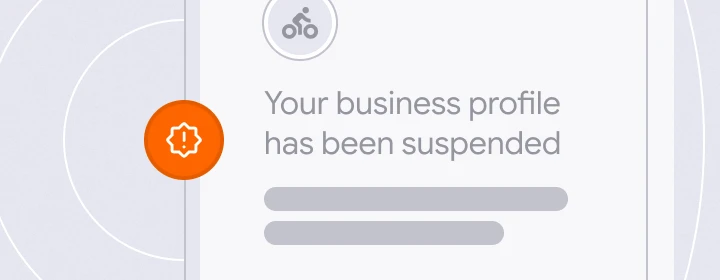
- Profile Suspensions: Google Business Profile suspensions are typically triggered due to deceptive address patterns, the use of virtual offices, keyword-stuffed business titles, or repeated guideline infractions. If your profile is suspended, systematically audit your settings against Google’s guidelines, gather verified utility bills or business licenses, and submit a formal reinstatement appeal.
How and When to Close or Delete a Profile
Completely deleting a profile from the web is highly unusual. Most scenarios require marking a listing as temporarily closed, permanently closed, or removing the profile from an individual account dashboard.
Apply a permanent closure status when a specific branch permanently shuts its doors, or when an entirely separate business entity takes over the physical address. Reserve temporary closure settings for deep renovations, seasonal business models, or temporary pauses due to unexpected events. Never close or delete a profile as a tactic to escape negative customer reviews. Doing so destroys your historical trust signals and fails to address the operational issue. Reputation repair and proactive management are always superior to hiding your profile.
How Timmermann Group Optimizes Google Business Profiles
Timmermann Group is a full-service digital marketing agency dedicated to helping businesses secure conversions rather than diversions. When auditing a client’s local search presence, the team analyzes profile completeness, category accuracy, structural NAP consistency, review health, photography velocity, post engagement, and technical website alignment.
By connecting local listings directly into the broader Google ecosystem—including optimized Google Ads campaigns and advanced organic search frameworks built to perform across search engines—Timmermann Group transforms your Google Business Profile into a consistent driver of qualified local calls, direction requests, and real-world revenue.
Ready to optimize your Google Business Profile for Local Search?
Schedule a 30-minute consultation with one of our local search strategists to learn how a properly optimized GBP can help people find your business and become loyal customers.
Frequently Asked Questions
How do I find Google business reviews?
To locate your business reviews as an owner, log into the Google Account associated with your listing, search for your business name on Google Search or Maps, and select “Read reviews” from the merchant management menu. As a consumer, simply search for any business on Google Maps or Search, click their active profile listing, and navigate to the dedicated “Reviews” tab to view public ratings and feedback.
Is Google My Business profile worth it?
Yes, a Google Business Profile is completely worth it because it serves as the anchor of your local visibility and is a free service for building local visibility. Without an active, optimized listing, your business cannot appear in the Google Maps interface or the Local 3-Pack, causing you to forfeit valuable local traffic to your direct regional competitors.
How to set up a Google Business Profile for reviews?
To set up your listing to receive reviews, claim and verify your profile through the official Google Business gateway. Once your profile is verified, navigate to your management menu to copy your unique, short review link. You can then distribute this direct link to your clients via post-purchase emails, digital invoices, or physical QR codes.
Is there a fee for a Google Business Profile? / Is Google My Business Profile free?
No. Google Business Profile is free to create, claim, optimize, and manage. It is an entirely free tool provided by Google to support local businesses across Google Search and Maps.
How do I access my Google Business Profile?
You can access your profile by logging into your managing Google Account and searching for your exact company name directly within Google Search or the Google Maps mobile application. This action will immediately surface your advanced merchant edit panel.
Can I tell if anyone has Googled me?
While Google’s privacy guidelines prevent you from seeing the specific names or personal identities of individuals who search for your business, the built-in Insights feature provides aggregate analytics. This tracking reporting details exactly how many people viewed your profile, the search terms they entered, and whether they clicked your website, called your phone line, or requested directions.