Server-Side Tracking: What It Is, Why It Matters, and How to Implement It
If your marketing dashboards don’t match your actual sales numbers, you’re not alone. The gap between what your analytics reports and what really happened is widening every year and traditional tracking methods are a big part of the problem. Server-side tracking offers a solution that puts you back in control of your data while keeping you compliant with evolving privacy regulations.
What is Server-side Tracking?
Server-side tracking refers to a method of collecting and sending analytics and marketing data from your own server instead of directly from the user’s browser. Rather than relying on JavaScript pixels that fire in the browser and send information straight to third-party platforms like Google Analytics, Meta, or TikTok, your web server acts as an intermediary that receives, processes, and forwards that data on your behalf.
This approach differs fundamentally from traditional client-side tracking, where scripts embedded in your web pages execute on the user’s device and communicate directly with advertising platforms and analytics tools.
Here’s how a typical request flow works on a modern ecommerce site:
- A user visits a product page on your website
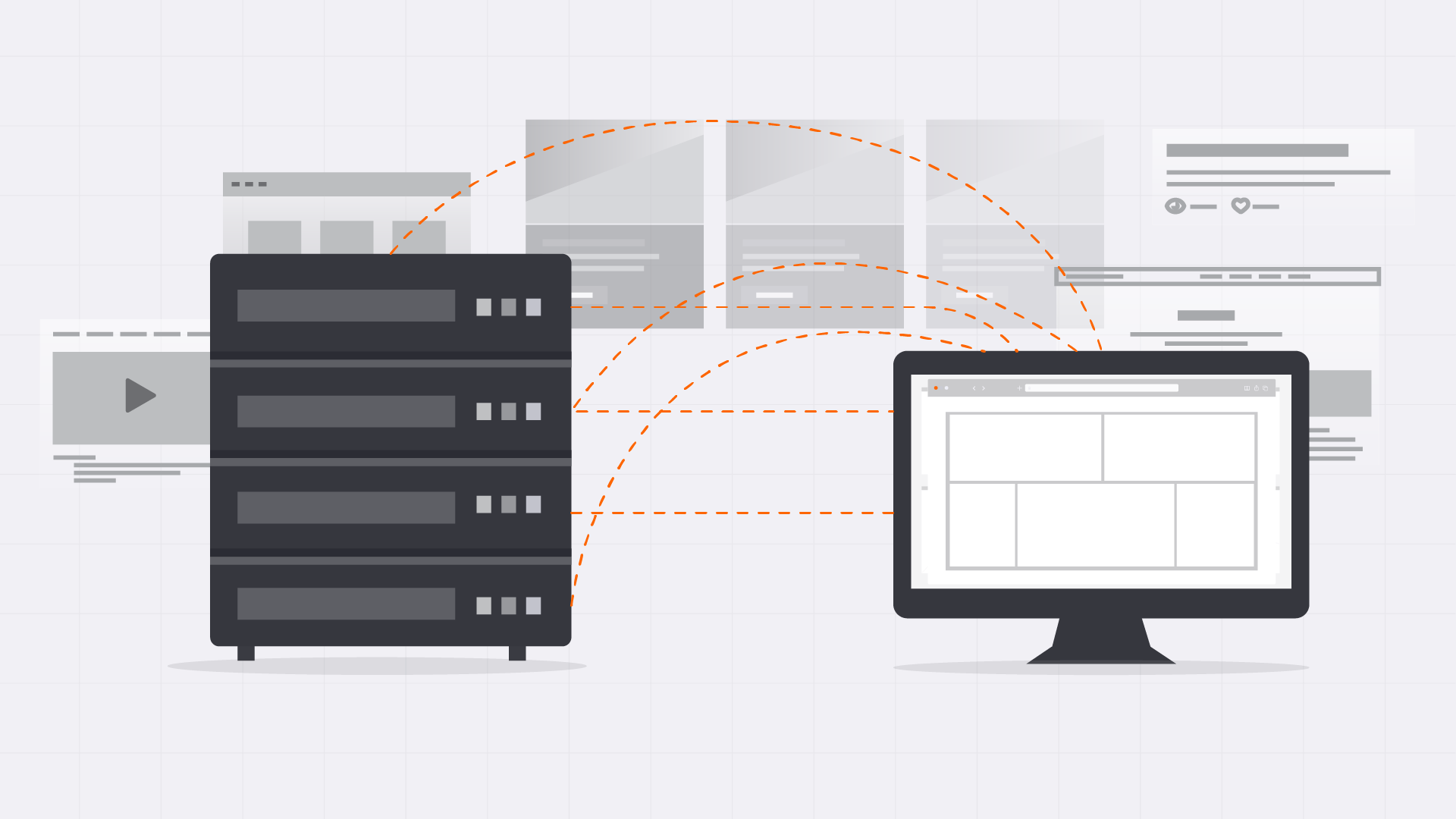
- Instead of multiple pixels firing directly to Google, Meta, and other vendors, the browser sends a single event to your own server (or a subdomain like track.yourdomain.com)
- Your server receives this event, enriches it with additional context (like CRM data or campaign parameters), applies consent logic, and then forwards structured events to GA4, Meta Conversions API, Google Ads, and other destinations
At TG, we use server side tracking as the foundation for accurate performance measurement. When your data collection happens on infrastructure you control, you gain full control over what gets measured, how it’s processed, and where it goes.
Why is Server-side Tracking Important in 2026?
The digital marketing landscape has shifted dramatically over the past few years. Third-party cookies are being phased out in Chrome, Safari’s Intelligent Tracking Prevention limits cookie lifespans to as little as 7 days, Firefox’s Enhanced Tracking Protection blocks known trackers by default, and ad blockers now affect 30-40% of tracking requests on many sites. Add GDPR, CCPA, and other privacy regulations into the mix, and traditional browser-based tracking faces significant challenges.
These changes aren’t just technical inconveniences—they directly impact your bottom line:
- Observable conversion loss: Many advertisers experience 10–30% fewer tracked conversions than actually occur, based on audits we’ve conducted across TG client accounts
- Degraded PPC performance: When platforms like Google Ads and Meta can’t see your conversions accurately, their bidding algorithms make poor decisions, hurting your ROAS
- Skewed SEO and content attribution: Without reliable data, you can’t identify which organic content drives revenue versus which just generates vanity traffic
- Misguided UX and CRO decisions: A/B tests and funnel optimizations built on incomplete data lead to false conclusions
Server-side tracking converts more of your measurement into first-party data under your control. This is critical for long-term flywheel marketing strategies where every channel feeds into the next.
Established B2B and B2C brands investing in multi-channel digital—organic, paid, email—see the most impact because they depend on precise attribution models to allocate budget effectively.
How Server-side Tracking Works (step-by-step)
Data still starts with the user’s browser, but the “brain” of tracking moves to your server or a cloud environment. Think of it as adding a smart layer between your website visitors and the tools you use to measure performance.
Let’s walk through a concrete example of how an “Add to Cart” event flows through a server-side tracking setup on a TG-built website:
- User action occurs: A visitor clicks “Add to Cart” on a product page
- Minimal browser request: Instead of firing multiple client-side scripts to Google, Meta, and others, the browser sends a single first-party request to your tracking subdomain (e.g., track.yourdomain.com)
- Server receives the event: Your server container—whether Google Tag Manager Server-Side, a custom Node.js service, or another solution—receives the raw event data
- Data enrichment and processing: The server adds context like CRM identifiers, campaign data from URL parameters, product category information, or customer lifetime value segments
- Consent logic applied: Before sending data anywhere, the server checks the user’s consent status and suppresses events for users who opted out of marketing tracking
- Events forwarded to destinations: Clean, enriched events are sent server-to-server to GA4, Meta CAPI, Google Ads, LinkedIn, Klaviyo, HubSpot, and any other tools in your stack
This approach reduces the number of scripts running in the browser, which can improve Core Web Vitals and overall UX. Fewer client-side scripts mean faster page loads and a better experience for your users.
Server-Side vs Client-side Tracking: Key Differences
Most brands will ultimately move to a hybrid model rather than going 100% server or 100% client. Understanding the differences helps you make smart decisions about where to invest.
Client-side tracking at a high level:
- Pixels and tags run directly in the user’s browser
- Vulnerable to ad blockers, browser restrictions like ITP, network failures, and inconsistent consent handling
- Easy to implement initially but increasingly unreliable
- Page speed suffers as more scripts get added over time
Server-side tracking at a high level:
- Events collected by your infrastructure and sent server-to-server to analytics and advertising platforms
- Greater control over data filtering, enrichment, and security
- More resilient to browser limitations and blocker tools
- Requires more upfront setup but delivers more control long-term
Here are the specific differences your marketing and dev teams will actually feel:
- Data loss and reliability: Client side can lose 20-50% of events to blockers and browser policies; server side typically captures 95-99%
- Cookie lifetime and ownership: Browser-set third-party cookies get truncated or blocked; server-set first-party cookies under your domain have longer, more predictable lifespans
- Page speed and UX impact: Each client-side script adds load time; server-side consolidates this into a single lightweight call
- Privacy and compliance control: Client-side scatters data across vendors immediately; server-side lets you filter, hash, or drop sensitive fields before data leaves your environment
- Debugging complexity: Client side is easier to inspect in browser dev tools; server side methods require log access and monitoring dashboards
- Dependency on third-party scripts: Client-side breaks when vendors change their code; server-side implementations are more stable across platform updates
One critical point: server-side does not magically bypass user consent or privacy laws. It simply centralizes and enforces consent more predictably than scattered browser scripts ever could.
How Server-side Tracking Works with Your Existing Cookie-banner Setup
Many brands already use Consent Management Platforms (CMPs) and cookie banners to comply with GDPR, CCPA, and other privacy regulations. The good news is that server-side tracking integrates with these systems rather than replacing them. Your existing consent mode infrastructure continues to work—it just gets smarter.
Here’s the basic pattern for how consent flows through a server-side setup:
- User makes a choice: Visitor interacts with your cookie banner and selects their preferences (accept all, reject non-essential, customize categories)
- Consent signal captured: The consent state gets recorded in your data layer or passed directly to your web application
- Server reads consent: Your server container receives the consent signal along with any events and uses it to decide what to send or suppress
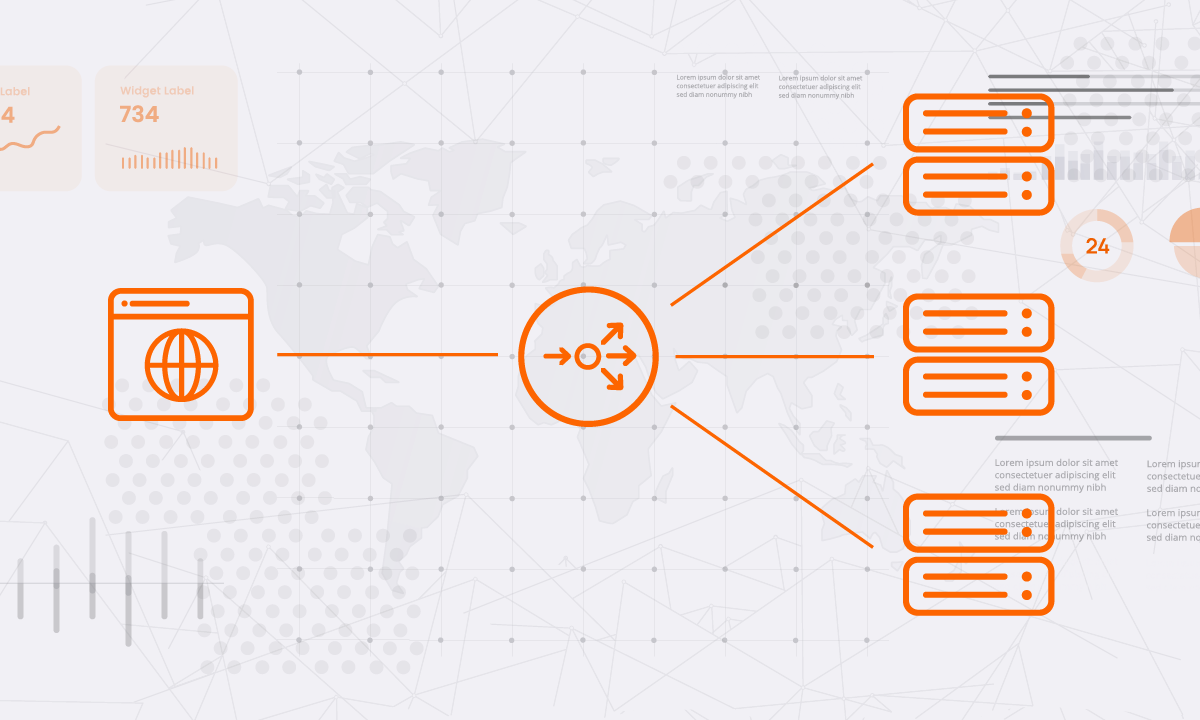
- Category-based routing: Different consent categories (analytics, marketing, functional) map to different downstream tools—GA4 might receive events under “analytics” consent, while Meta CAPI only receives data when “marketing” is approved
Key considerations for consent management platform integration:
- Server-set first-party cookies can still be limited or disabled if users decline non-essential tracking
- Use a privacy-first implementation that respects user choices fully for GDPR and CCPA compliance
- Banner behavior must stay consistent across domains if you operate multiple properties
- Consent updates (user changes their mind) need to propagate to your server-side logic
- Your implementation must ensure server-side doesn’t “leak” data after a user opts out—this requires careful QA
Benefits of Server-side Tracking for Marketing Performance
The benefits of server-side tracking tie directly to revenue, ROAS, and lead quality—not just “more data” in your reports.
- Improved attribution accuracy: More purchases and leads get correctly tied back to the campaigns and keywords that drove them. This matters enormously for Google Ads and Meta bidding algorithms, which optimize based on the conversion signals you send them. Better data means smarter automated bidding.
- Higher-quality conversion signals: You can send cleaner event data with richer parameters—like customer LTV segments, product categories, lead scores, or purchase frequency. This gives ad platforms more context to find similar high-value prospects.
- Better funnel visibility across channels: With reliable data collection, you can finally build multi-touch attribution models that show how SEO, paid search, social media platforms, and email work together. These powers flywheel optimization, where each channel reinforces the others.
- Website performance gains: Slimming down client-side scripts improves Core Web Vitals, which indirectly supports SEO rankings, UX quality, and conversion rates. Every millisecond of page load time you save translates to better user interactions.
- Implementation resilience: Fewer broken tags after site redesigns, A/B tests, or SPA framework changes because core tracking logic lives server-side. Your marketing measurement survives technical changes that would break traditional pixel implementations.
- Reduced platform discrepancies: When all your tools receive data from a single, consistent source, you spend less time reconciling numbers between Google Analytics, ad platforms, and your CRM.

Data Privacy, Security, and Compliance
Privacy isn’t just a risk to manage—it’s becoming a competitive advantage. Brands that handle user privacy well earn more trust and face fewer regulatory headaches.
Server-side tracking gives you enhanced privacy compliance because you decide exactly which fields to keep, hash, truncate, or drop before data ever leaves your environment. For example:
- IP addresses can be anonymized or stripped entirely
- User agent strings can be generalized to prevent fingerprinting
- Email addresses can be hashed using SHA-256 for matching purposes without exposing raw PII
Centralizing data flows through your own server simplifies several compliance tasks:
- Data subject requests: When a user asks for their data or requests deletion, you have direct access to the source rather than chasing down records across dozens of third-party vendors
- Records of processing: Documentation becomes cleaner when all data routes through your infrastructure
- Vendor data-sharing documentation: You can clearly articulate what data goes where because you control the transmission
TG typically designs implementations to align with GDPR, CCPA/CPRA, and major ad platforms’ policies, including Google’s EU user consent policy and Meta’s data use restrictions.
Security best practices for server-side implementations include:
- HTTPS for all data transmission
- Access control on server containers (only authorized team members can modify tracking logic)
- Log retention policies that balance debugging needs with data minimization
- Separation of PII from behavioral analytics where possible
Implementation Options and Stack Choices
There’s no single “right” stack for server-side tracking—the best choice depends on your traffic scale, dev resources, and existing tools.
Google Tag Manager Server-Side (sGTM):
- Most common starting point for mid-market and enterprise brands
- Runs on Google Cloud Platform or alternative hosting providers
- Familiar interface for teams already using Google Tag Manager
- Supports tags for GA4, Meta CAPI, Google Ads, LinkedIn, and many others
Direct server-to-server integrations:
- Meta Conversions API, Google Ads Enhanced Conversions, LinkedIn Conversions API
- Email platforms like Klaviyo or HubSpot capturing events directly from your backend
- Often used alongside sGTM for specific high-priority events like purchases
Alternative analytics approaches:
- GA4 via Measurement Protocol for direct server-to-server event sending
- Privacy-focused analytics tools that support server side data ingestion
- Custom data pipelines feeding data warehouses for advanced analysis
Trade-off matrix to consider:
| Factor | DIY / Self-Hosted | Agency-Led / Managed |
|---|---|---|
| Upfront cost | Higher dev time | Higher service fees |
| Ongoing maintenance | Your team owns it | Provider handles it |
| Flexibility | Maximum control | Some constraints |
| Speed to launch | Slower | Faster |
| Technical expertise needed | Significant | Minimal |
How to Implement Server-side Tracking: a Practical Roadmap
Most TG implementations roll out in phases over 4–8 weeks, depending on complexity, traffic volume, and the number of platforms involved. Here’s the general process we follow:
Phase 1: Discovery and Audit (Week 1-2)
- Audit current tracking setup: GA4, any legacy Universal Analytics, pixels, tags, CRM events
- Document existing data gaps and identify where data loss is occurring
- Prioritize critical conversions: leads, demo requests, purchases, subscription signups
- Map out which platforms need server-side integration first
Phase 2: Architecture Design (Week 2-3)
- Decide on hosting: cloud provider like GCP, AWS, or managed hosting service
- Choose between sGTM, custom microservices, or a hybrid approach
- Define data models: event names, parameters, and user identifiers
- Plan consent integration with the existing CMP or cookie banner
Phase 3: Implementation (Week 3-5)
- Create a server container and configure the hosting environment
- Stand up tracking subdomain (e.g., track.yourdomain.com)
- Configure key tags: GA4, Meta CAPI, Google Ads Enhanced Conversions
- Wire in consent logic from your consent management platform
- Implement user ID strategies for cross-device tracking where permitted
Phase 4: QA and Validation (Week 5-6)
- Run client-side and server-side tracking in parallel
- Compare event counts and attribution patterns between old and new setups
- Fine-tune mapping and implement deduplication rules to avoid double-counting
- Validate consent enforcement across all user scenarios
Phase 5: Rollout and Optimization (Week 6-8+)
- Gradually route more platforms through server side
- Deprecate redundant client-side tags to improve page speed
- Build monitoring dashboards to track data quality over time
- Establish an ongoing review cadence for tracking health
Common Pitfalls and How to Avoid Them
Server-side tracking can go wrong if treated as a “set-and-forget” IT project. Here are the issues we see most often and how to prevent them:
Double-counted conversions:
- Happens when both client-side and server-side tags fire for the same event
- Solution: Implement deduplication using event IDs and phase out redundant client-side tags
Missing consent checks:
- Server-side logic sends data even when users opted out
- Solution: Always validate consent state server-side before forwarding events; never assume consent
Misaligned event names:
- Your server sends “purchase,” but Meta expects “Purchase” (case-sensitive)
- Solution: Document your event schema and map carefully to each platform’s requirements
Broken identifiers across domains:
- User IDs don’t persist when visitors move between your main site and subdomains
- Solution: Plan cross-domain tracking architecture during the design phase
Over-collecting personal data:
- Server-side makes it easy to send everything—including data you shouldn’t keep
- Solution: Practice strict data minimization; only collect and forward what you actually need
No clear ownership:
- Tracking breaks and no one notices for weeks because it’s “IT’s job” or “marketing’s job.”
- Solution: Assign a specific owner for your tracking setup with clear responsibilities
Lack of monitoring and alerts:
- Data stops flowing, and you don’t find out until the monthly report looks wrong
- Solution: Set up automated alerts for significant drops in event volume or error rates
No regression testing:
- Site updates break tracking because no one tested the impact
- Solution: Include tracking validation in your deployment process for every release
How TG Can Help You with Server-side Tracking
At TG, we treat tracking as the backbone of everything else we do—SEO, PPC, social media marketing, CRO, and email marketing all depend on accurate data to drive results. When your data management foundation is solid, every other marketing investment performs better.
Our typical engagement model includes:
- Initial tracking audit: We review your current setup, identify data gaps, and quantify how much you’re likely missing
- Strategic roadmap: We design an implementation plan that prioritizes quick wins while building toward a complete server-side solutions architecture
- Implementation: Our team handles the technical complexity—server container setup, tag configuration, consent integration, and QA
- Ongoing optimization: We tie tracking performance to your actual ROAS and revenue goals, adjusting as your campaigns and website evolve
What makes TG different is that our team includes both marketing strategists and developers. This combination is crucial for bridging technical implementation with real business outcomes. We don’t just make tracking work—we make it work for your marketing strategy.
We work with your existing tech stack—GA4, your CRM, ecommerce platform, and ad accounts—rather than forcing a complete rebuild. Server-side tracking is an enhancement, not a replacement for existing tools.
Ready to recover your lost data and improve campaign performance?
Schedule a free consultation with TG to review your current tracking setup and identify where server-side tracking can make the biggest impact for your business.